
There are seven reasons why AI research stays shallow. Six of them can be overcome just by changing how you give instructions. The remaining one can be mostly covered with a specific prompt.
In my previous article ("Why AI Research Stays Shallow"), I identified seven barriers in AI-powered research. This time, I'll show you how to get past each one.
No special skills required. Just changing how you instruct AI can significantly deepen your research. I'll also introduce some methods using MCP servers, but most of the solutions don't require any tools at all.
Nearly All Seven Barriers Can Be Overcome
Here's a summary of the seven barriers from the previous article and how to overcome each one.
| # | Barrier | How to Overcome | What You Need |
|---|---|---|---|
| 1 | Don't know where to find data | Map the supply chain and let AI infer sources | Prompt techniques |
| 2 | Search queries are sloppy | Use phrase search and specify local languages | Prompt techniques |
| 3 | Not using Google Search | Use Google API via MCP server | Tool setup |
| 4 | Can't read pages / operate databases | Tell AI: "let me know if you can't read it" | Prompt techniques |
| 5 | IP-based geo-blocking | Find workarounds (Wayback Machine, etc.) | Knowledge + manual work |
| 6 | Can't skim PDFs | Tell AI: "read the table of contents first" | Prompt techniques |
| 7 | Runs out of tokens | Have AI create a research plan before starting | Prompt techniques |
Five of the seven can be overcome with prompt techniques alone. Let me walk through each one.
Barrier 1: "Don't Know Where the Data Lives" -- Map the Supply Chain to Find Information Sources
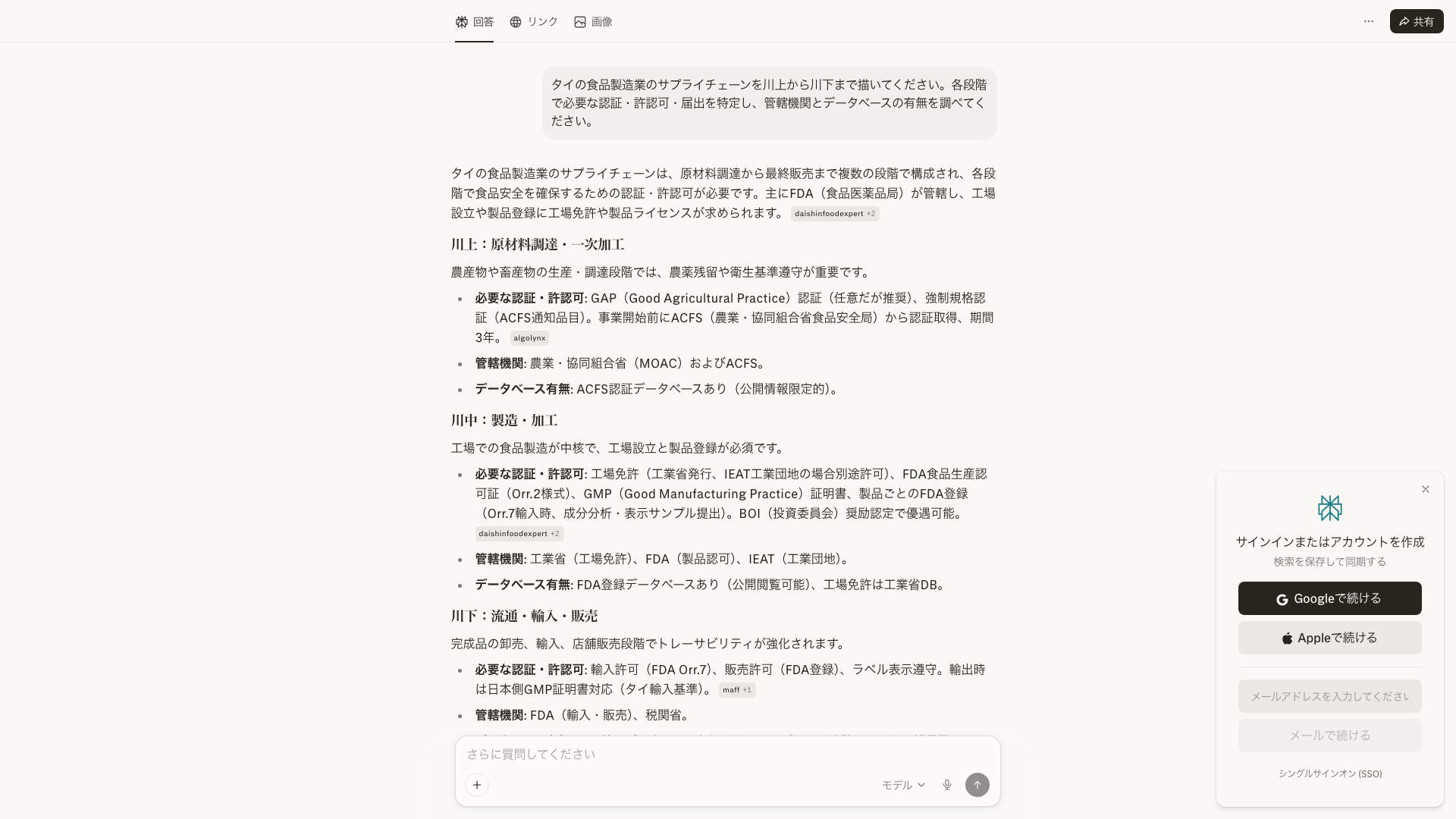
AI doesn't know where data is stored. But if you ask it to map a supply chain, it can identify the regulations, certifications, and registrations at each stage.
In my previous article, I wrote that "this barrier requires professional experience." I'm partially taking that back. I recently discovered that the following prompt covers a surprising amount of ground.
> Map the supply chain for the [industry] from upstream to downstream. At each stage, identify required certifications, permits, and registrations. Then check whether the relevant regulatory bodies maintain databases.
For example, specifying "Thailand's food manufacturing industry" produces a flow like this:
- Raw material sourcing → Department of Agriculture (DOA) pesticide registration database
- Manufacturing → Department of Industrial Works (DIW) factory registration database, FDA food permits
- Export → Ministry of Commerce (MOC) exporter registration, certificates of origin
- Import (destination country) → Destination country's FDA permits, customs data
Each stage has a regulatory body, and each regulatory body has a database. Just seeing this structure tells you where to look next.
This is exactly what happened in a recent investigation. The question was: "Can a Thai trading company obtain an ASEAN Certificate of Origin (Form D) for products it doesn't manufacture itself?"
Initially, I just asked AI directly and got shallow results. So I mapped out the business process.
```
Manufacturer → Trading company (exporter) → Forwarder → Thai Customs → Ship → Vietnam Customs → Importer
```
The moment I saw this process, I realized: "The DFT (Department of Foreign Trade) is the issuing authority for Form D on the Thai side" and "I also need to check Vietnam's customs regulations." The ATIGA original text, Thai DFT guidelines, Vietnamese circulars -- I arrived at a clear conclusion from three legal sources because I could see the full picture of the business process.
Map the supply chain or business process first. This is something AI excels at. Once you have the big picture, it becomes much easier to sense "there's probably something here."
The same structure works for pharmaceutical research. Ask AI to "map the supply chain" and you get: active ingredient sourcing → manufacturing → quality testing → regulatory submission → distribution → sales. Looking at the "regulatory submission" stage, you realize "there must be a regulatory agency and database here." Instead of relying on knowledge, you can derive information sources from structure.
Barrier 2: "Sloppy Search Queries" -- Build Your Own Search Queries
When you let AI handle searches, it tends to use simple English keywords. Just adding phrase search and local language instructions dramatically expands what you can find.
There are only two things to do.
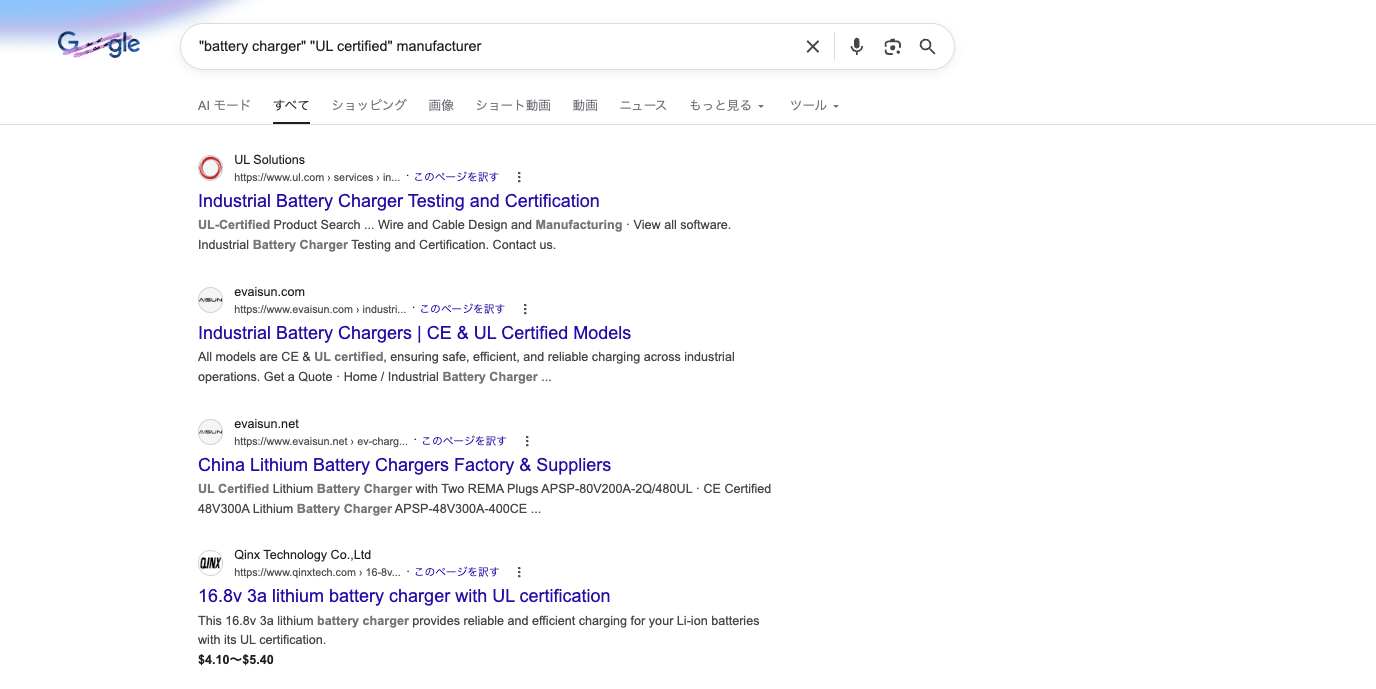
First -- Use phrase search for important keywords
> Search for: "battery charger" "UL certified" manufacturer
Wrapping terms in double quotes forces exact-match search. AI tends to search words separately, so putting must-hit phrases in quotes significantly improves precision. Combining AND and OR makes it even more powerful.
Second -- Say "search in the local language and answer in English"
> Search for information about food factories in Thailand using Thai language. Summarize the results in English.
Just this instruction makes AI search with queries like "โรงงานอาหาร" (Thai for "food factory"). The default behavior is to search in English, so adding this one line dramatically expands the information you can find.
I once spent three hours searching for a Thai company name in English and found nothing useful. The moment I switched to Thai, the information I needed appeared on page one.
Barrier 3: "Not Using Google Search" -- Choose Your Own Search Engine
ChatGPT, Perplexity, and Copilot use search engines other than Google. For Japanese and Asian languages, Google often delivers better results.
If you want Google Search, Gemini has it built in. But honestly, even Gemini's results for Asian languages can be inconsistent. Why does accuracy drop when it's supposedly using Google? Perhaps information gets lost in the way AI constructs queries or filters results.
For a more reliable approach, there are MCP servers.
What Are MCP Servers?
MCP servers are a framework for connecting external tools to AI. Released by Anthropic in 2024, it's now also adopted by OpenAI.
Normally, AI can only exchange text. Setting up MCP servers enables AI to directly use tools like Google Search, browser automation, and PDF reading.
| Item | Description |
|---|---|
| MCP | Model Context Protocol -- a standard for connecting AI to tools |
| MCP Server | Individual tools (Google Search, browser automation, etc.) |
| Compatible AI | Claude Desktop, Claude Code, ChatGPT (partial), etc. |
| Setup effort | Just edit one configuration file (JSON) |
With an MCP server for Google Search API, you can retrieve Google search results directly from ChatGPT or Claude. MCP servers come up again in barriers 4-6, so this is a technique worth mastering.
Barrier 4: "Can't Read Pages" -- Just Say "Let Me Know If You Can't Read It"
AI sometimes can't read JavaScript-rendered pages or database interfaces. Just adding "please let me know if you can't load a page" makes the problem much easier to handle.
AI may encounter unreadable pages and silently move on. Looking at just the results, you can't tell whether the information "didn't exist" or "couldn't be read."
> Please check the content at the following URL. If the page can't be loaded, let me know.
This simple instruction gets responses like: "This page is dynamically generated with JavaScript, so I was unable to retrieve the content." Once you know it couldn't be read, you can open the browser yourself and check.
Even ChatGPT's browser feature sometimes can't read JavaScript pages. For reliable access, you can set up Playwright (a browser automation tool) as an MCP server, as mentioned in Barrier 3. This automates even form inputs and button clicks on JavaScript pages.
Barrier 5: "IP Geo-Blocking" -- There Are Workarounds for Inaccessible Sites
AI servers are likely located in the US, making them unable to access locally restricted sites in Asia. While direct access is difficult, there are several workarounds.
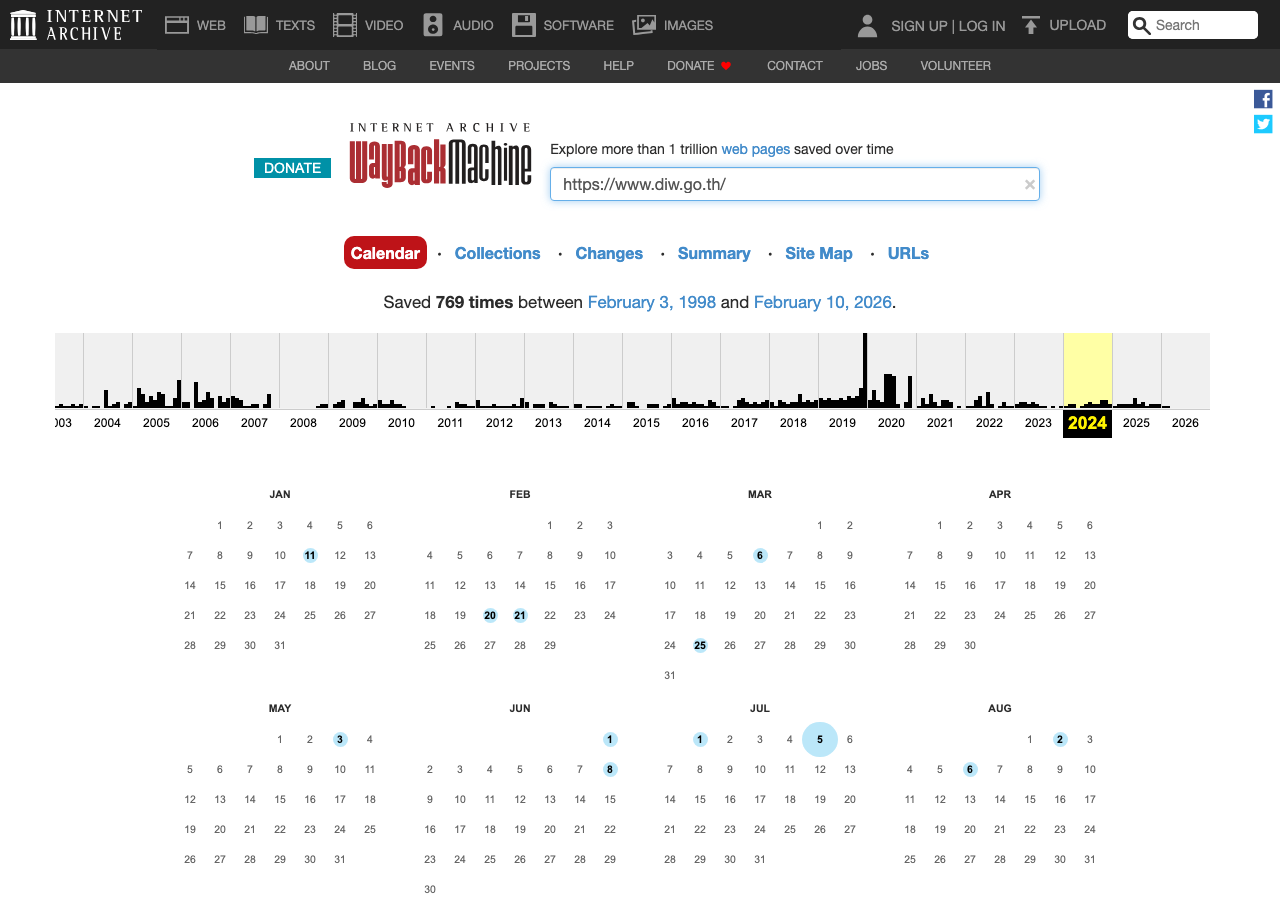
1. Try the Wayback Machine
> If you can't access this site, check whether past versions of the page are saved on the Wayback Machine (web.archive.org).
The Internet Archive may have cached versions of the page. Coverage of Asian government sites isn't great, but it's worth trying. Even older versions can provide useful leads.
2. Check Facebook Pages
This might be surprising, but many Asian government agencies and industry organizations actively maintain Facebook pages. Even if the main site is geo-blocked, Facebook pages are accessible from anywhere in the world.
Facebook pages themselves are hard for AI to read, so you'll need to view the page yourself and copy relevant information to pass to AI. It's fragmented, but can provide useful leads.
Alternatively, setting up Playwright as an MCP server allows browsing at least the top page of Facebook.
3. View it yourself and pass the text
This is the last resort, but the most reliable. Use a VPN to switch to a local IP address, open the site, copy the relevant parts, and pass them to AI. This is what I frequently do with Thai government sites. If AI can't read it, a human reads it and passes it along. Simple but effective.
Barrier 6: "Can't Skim PDFs" -- Tell AI "Don't Read the Whole Thing"
When you give AI a PDF, it starts reading from page one straight through. Just saying "read the table of contents first, then only the chapters I need" makes it much easier to find the information you're looking for.
If you have AI read all 100 pages from the top, it runs out of tokens around page 20-30. When I read a PDF, I don't read every page either. I check the table of contents first and open only the chapters I need.
Have AI do the same thing. The key is giving instructions in two stages.
> Step 1 -- Show me the table of contents or chapter structure of this PDF. Don't read the detailed content yet.
Once the table of contents comes back, specify only the chapters you need.
> Step 2 -- Give me the detailed content of Chapter 3 (pages 45-60). You don't need to read the other chapters.
"Don't read the detailed content yet" and "You don't need to read the other chapters" are the key phrases. Without explicit instructions to stop, AI will dutifully try to read every page.
MCP servers also include PDF readers. Using a tool like pdf-reader-mcp, you can specify page ranges like "extract only pages 1-5 and 45-60." This eliminates the need to load all 100 pages, significantly saving tokens.
Barrier 7: "Runs Out of Tokens" -- Create a Research Plan Before Starting
AI is bad at allocating tokens and tends to stop right when it's getting to the important part. Having it create a research plan first and then executing step by step largely avoids this problem.
The most effective technique is "don't let it investigate everything at once."
> I want to research the following topic: "Major players and market structure of Thailand's food manufacturing industry"
>
> First, create a research plan. List up to 5 subtopics and prioritize them. Don't provide answers yet. Just give me the plan.
Once the plan comes back, execute it one subtopic at a time.
> Research subtopic 1 from the plan. Summarize the results in bullet points, within 500 words.
"Don't provide answers yet" and "within 500 words" are crucial. Without constraints, AI starts writing lengthy explanations at the planning stage and burns through tokens before getting to the actual research.
Two more practical tips:
Have AI summarize results frequently
> Report your research progress as you go. Each time you find new information, organize your findings so far in bullet points before moving on.
Having interim results in text means that even if tokens run out, you still have the findings up to that point.
Hand off when the conversation gets heavy
> Summarize the research results so far in bullet points. Also list what hasn't been investigated yet.
Copy this summary to a new chat and say "continue the research" -- effectively resetting the token count. The principle of one topic per conversation is also effective: splitting different topics into separate conversations from the start.
You Can Overcome 80% on Your Own
I've covered how to overcome all seven barriers. With prompt techniques and MCP servers, most barriers can be cleared.
| # | Barrier | How to Overcome | DIY Rating |
|---|---|---|---|
| 1 | Don't know where data lives | Map the supply chain | ★★★★☆ |
| 2 | Sloppy search queries | Phrase search + local language | ★★★★★ |
| 3 | Not using Google | Set up MCP server | ★★★☆☆ |
| 4 | Can't read pages | "Let me know" + MCP | ★★★★☆ |
| 5 | Geo-blocking | Find workarounds | ★★★☆☆ |
| 6 | Can't skim PDFs | "Start from TOC" | ★★★★★ |
| 7 | Token exhaustion | Plan → execute in parts | ★★★★★ |
However, there's still work beyond the barriers.
- Actually operating databases and extracting data
- Interpreting the data and finding meaning
- Cross-referencing primary sources in English, Chinese, and Thai
- Identifying the 3 pages that truly matter in a 100-page PDF
Knowing the methods is one thing; executing them takes time and trial-and-error. It took me a long time doing this work before I got fast at it.
I've laid out every method for overcoming the barriers. If you're thinking "I get how to do it, but I don't have time to do it all" -- that's exactly the kind of research we handle.
Need ASEAN market intelligence?
Custom company research starting from $2,000.
(Western consultancies charge $10,000–50,000 for similar work.)
- ✓ 350+ projects completed across 80+ countries
- ✓ Delivered in 2–4 weeks
- ✓ Pay only for what you need — no retainer required
Overseas Market Research & Company List Building
Free initial consultation. Tell us about your research needs.